
Image Vectorizer

€ 0,00 excl. vat

Turn any photo, sketch or AI image into clean SVG line art, ready to print, cut or color in the Coloring Book.

SKU: image-vectorizer Category:

Description


arts

Image Vectorizer

Turn any photo, sketch or AI image into clean SVG line art, ready to print, cut or color in the Coloring Book.


“Turn any image into crisp line art in seconds, then color it in or print it.”

About Image Vectorizer

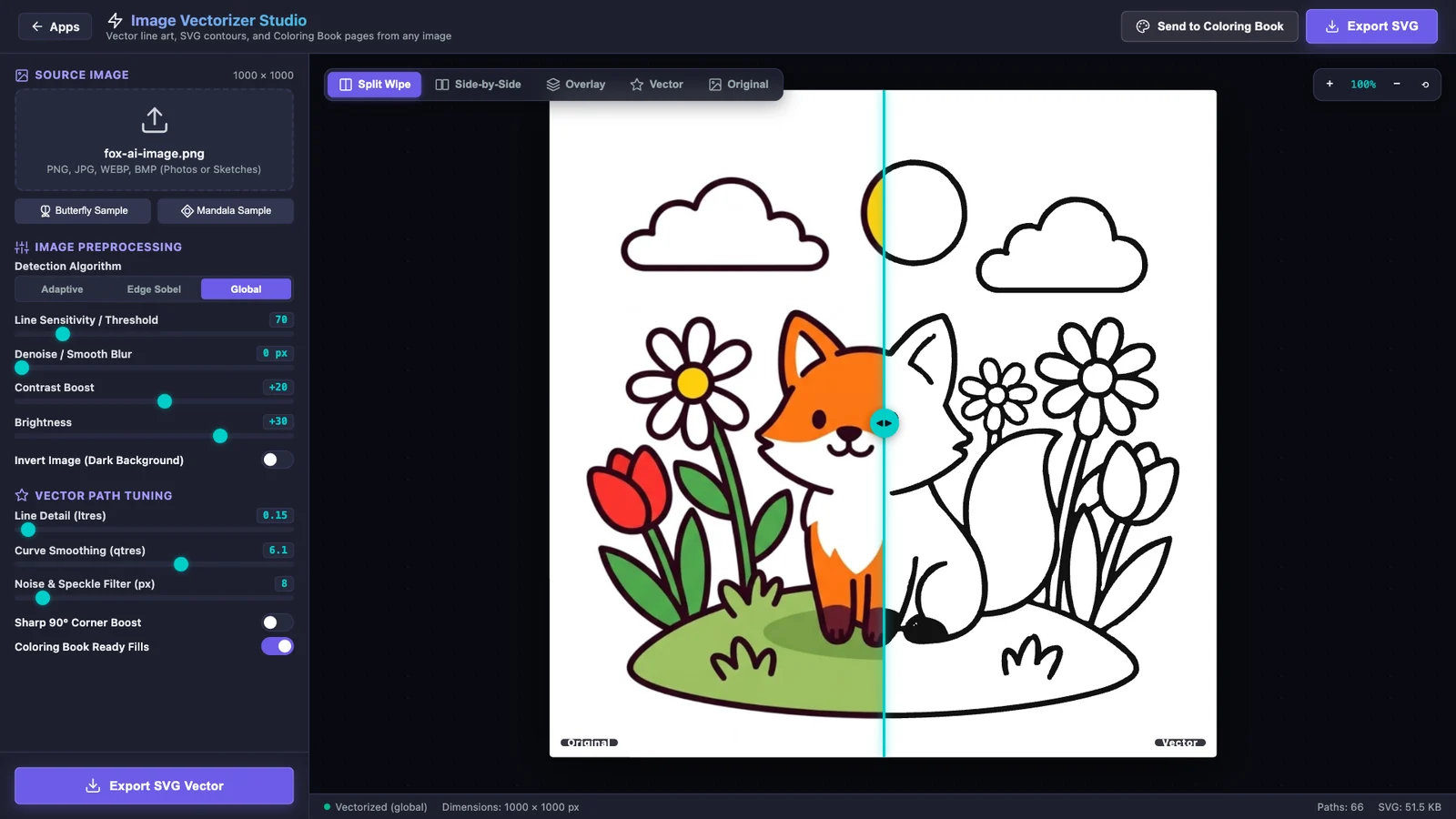
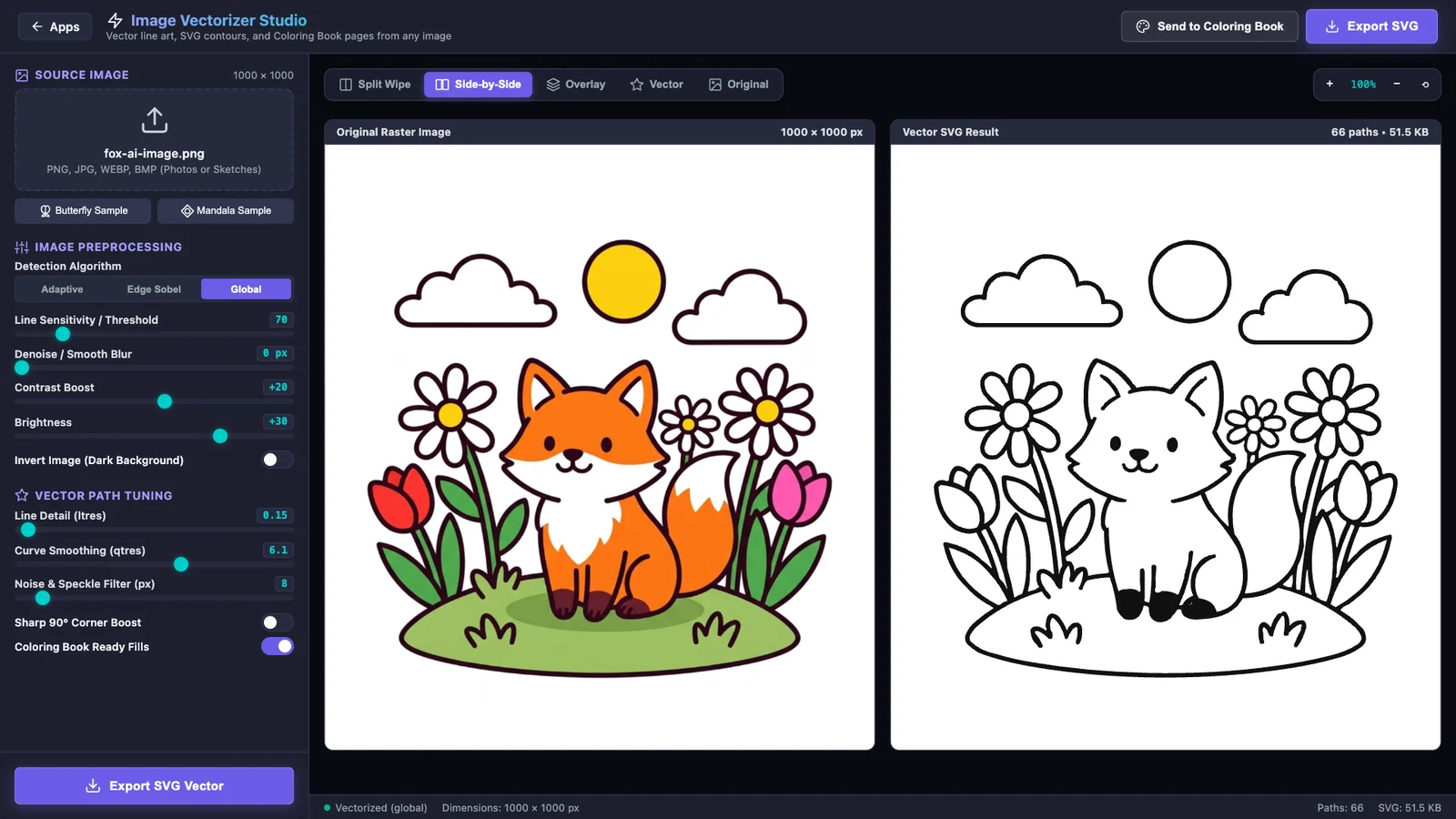
Image Vectorizer Studio converts bitmap images (PNG, JPG, WEBP, BMP) into sharp, scalable SVG vector line art. Choose an edge detection method (Global, Adaptive or Edge Sobel), tune line sensitivity, smoothing, contrast and brightness, and control how detailed and how smooth the traced curves are. Compare the result with the original using a split wipe, side-by-side, overlay, vector-only or original view. Export SVG, or PNG at 2x or 4x for print. With Coloring Book Ready Fills switched on, every closed shape becomes a fillable area: one click on Send to Coloring Book opens your new page in the Coloring Book app, ready to paint. Images are processed in your browser and are not uploaded.


people
Perfect For
Parents and teachers making coloring pages, AI art fans, illustrators, crafters and Cricut or laser-cutter users, print-on-demand sellers, designers who need quick line art

Product Highlights


1

Bitmap to SVG vector tracing (PNG, JPG, WEBP, BMP)


2

Global, Adaptive and Edge Sobel line detection


3

Line sensitivity, blur, contrast, brightness and invert


4

Line detail, curve smoothing and speckle filter controls


5

Sharp 90° corner boost for geometric art


6

Coloring Book Ready Fills: closed shapes become fillable


7

Send to Coloring Book in one click


8

Split wipe, side-by-side, overlay, vector and original views


9

Zoom and pan to inspect details


10

Export SVG, or PNG at 2x and 4x for print


11

Butterfly and mandala samples to try instantly

lightbulb Problems This Solves


arrow_right
Turning an AI-generated or scanned picture into clean line art without redrawing it by hand

arrow_right
Blurry, pixelated images that cannot be printed large

arrow_right
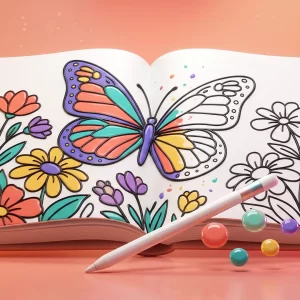
Making custom coloring pages for kids, classes or relaxing

arrow_right
Expensive vector software just to trace a simple image

verified Key Benefits


check_circle
Sharp SVG outlines that scale to any print size

check_circle
Three detection methods plus fine control over lines, curves and noise

check_circle
Live comparison views to check the trace against the original

check_circle
One-click handoff to the Coloring Book with fillable areas

check_circle
Private: your images stay in your browser

Gallery


help_outline Frequently Asked
Questions

What does Image Vectorizer do?
It traces a bitmap image (a photo, sketch, scan or AI-generated picture) and turns it into SVG vector line art. Vectors stay sharp at any size, so you can print them large, cut them on a plotter or color them in.

Which images work best?
Pictures with clear shapes and strong outlines: cartoons, sticker-style AI images, logos, sketches and line drawings. Busy photos also work, but give more lines. Raise the noise and speckle filter and lower the line detail to simplify them.

What is the difference between Global, Adaptive and Edge Sobel?
Global uses one brightness threshold for the whole image and suits clean drawings. Adaptive adjusts the threshold to each area, which helps with uneven lighting in photos and scans. Edge Sobel looks for edges, so it outlines shapes rather than filling dark areas.

How do I make a coloring page from an AI image?
Ask any AI image generator for a coloring page: black outlines only on a white background, no colors or shading, every shape closed. Open it in Image Vectorizer, keep Coloring Book Ready Fills on (the default settings work for clean line art), and click Send to Coloring Book. The page opens in the Coloring Book, ready to fill.

What are Coloring Book Ready Fills?
With this option on, the traced SVG marks closed shapes as fillable areas and dark lines as outlines. The Coloring Book then fills an area with one click and never paints over the lines.

Which file formats can I export?
SVG for scalable vector art, and PNG at 2x or 4x resolution for printing. You can set the file name before you export.

Are my images uploaded to a server?
No. Tracing runs in your browser on your own device. The picture you open is not uploaded.

Can I use the SVG with a Cricut or laser cutter?
Yes. The export is a standard SVG file you can import into design software for cutting machines, Inkscape, Illustrator, Affinity Designer and similar programs. Check the paths in your cutting software before you cut.


Reviews

There are no reviews yet.

Only logged in customers who have purchased this product may leave a review.