The problem
Good Mondrian prints are everywhere, and all the same
Posters and stock files repeat the same few compositions. Drawing your own with rulers and tape is slow, and getting the balance right takes many tries.
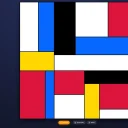 Mondrian Art Studio · De Stijl generator
Press Generate for a new composition of black lines and red, yellow and blue blocks. Recolour the same grid, drag the lines, paint blocks yourself or start from an empty canvas, then export SVG for print or a 4K PNG for your wall or screen.
5 days free · no credit card required. Already have an account? Sign in and open it.
The problem
Posters and stock files repeat the same few compositions. Drawing your own with rulers and tape is slow, and getting the balance right takes many tries.
Who it is for
Before
With Mondrian Art Studio
How it works
1:1, 16:9, 9:16, 4:3, 3:4 or 2:1, with line thickness, complexity and size variance.
A new grid per tap, or Smart Color to recolour the same grid. Paint blocks and drag lines.
SVG for print or PNG up to 4096 px for wallpapers and posts.
Made in Mondrian Art Studio
What is inside
A new composition of lines and primary-colour blocks per tap.
Recolour the same grid until the balance feels right.
Tap a block to fill it, or start from an empty white canvas.
Drag the lines; set thickness, complexity and size variance.
1:1, 16:9, 9:16, 4:3, 3:4 and 2:1.
Scalable vector for prints, PNG for screens.
Mondrian Art Studio runs in your browser on a phone, tablet or computer. Nothing to install.
5 days free · no credit card required.
FAQ
Pick a canvas ratio and press Generate until you like the layout, use Smart Color to try other colourings, then adjust lines or paint blocks yourself and export.
Yes. Start from the empty white canvas and paint your own composition with the classic palette and black grid lines.
PNG up to 4096 px on the long side, and SVG that scales to any print size. Very large PNG exports may fail on some phones; use SVG then.
Yes. Export SVG and print it at any size, or give the SVG to a print shop.
The De Stijl palette: red, yellow, blue, black and white, with optional grey.
Yes. Students can generate, compare and then paint their own composition, which makes the ideas of balance and primary colours easy to talk about.
A Dutch painter (1872–1944) and a founder of the De Stijl movement, known for compositions of black lines and blocks of primary colours.
Yes. The toolbar fits a phone screen and you can paint blocks with a tap.
More from 360apps
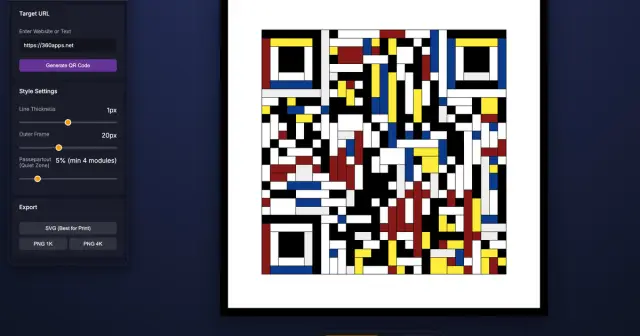 Mondrian QR Code GeneratorTurn any link into a scannable QR code drawn as a Mondrian painting, for menus, posters and wedding signs. SVG or 4K PNG.See Mondrian QR Code Generator →
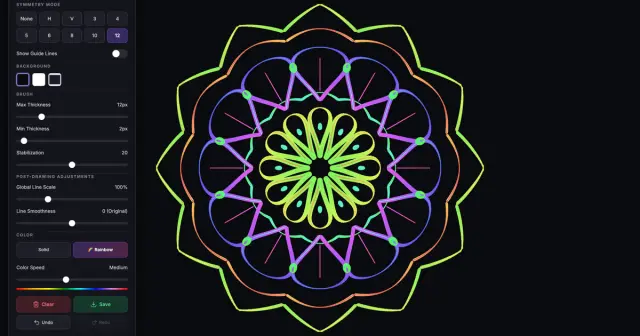 Mandala DrawDraw one line and it repeats up to 12 times around the centre. Rainbow ink or black-line printable mandalas, saved as PNG or SVG.See Mandala Draw →
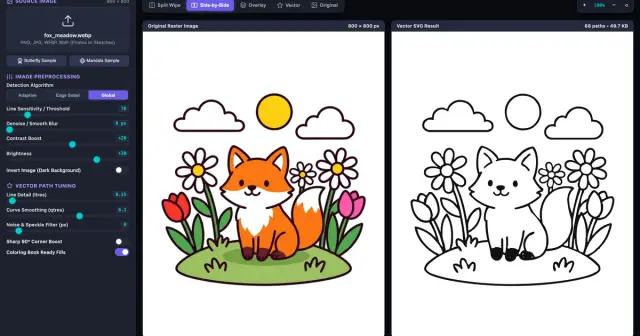 Image VectorizerTurn a photo, sketch or AI image into clean SVG line art in your browser, then print it, cut it or send it to Coloring Book as a page.See Image Vectorizer →
Mondrian Art StudioTry it free
Image VectorizerTurn a photo, sketch or AI image into clean SVG line art in your browser, then print it, cut it or send it to Coloring Book as a page.See Image Vectorizer →
Mondrian Art StudioTry it free