
The problem
Symmetry is hard to draw by hand
Compasses, protractors and a lot of patience: drawing a mandala on paper means measuring every slice and repeating every line by hand. One wobble and the pattern breaks.
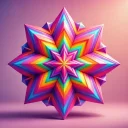 Mandala Draw · mandala maker
Every stroke is mirrored around the centre in 3 to 12 slices, so even a shaky line turns into a mandala. Draw in rainbow ink on a dark background, or in black on white for a printable coloring page, then save it as PNG or SVG.
5 days free · no credit card required. Already have an account? Sign in and open it.
The problem
Compasses, protractors and a lot of patience: drawing a mandala on paper means measuring every slice and repeating every line by hand. One wobble and the pattern breaks.
Who it is for
Before
With Mandala Draw
How it works
3, 4, 5, 6, 8, 10 or 12 slices, or horizontal and vertical mirror.
Rainbow or solid colour, on a dark, white or custom background. The brush follows speed or pen pressure.
Scale and smooth every line afterwards, then save PNG or SVG.
Made in Mandala Draw
What is inside
3 to 12 slices, plus horizontal and vertical mirror modes.
Colour cycles along the stroke, or pick one ink.
Thickness follows speed or pen pressure, with stabilisation.
Scale and smooth every line at once.
An ink swatch on a white background for black-line mandalas.
Transparent PNG or scalable SVG for print.
Work on the fine details.
Finger, stylus or mouse.
Mandala Draw runs in your browser on a phone, tablet or computer. Nothing to install.
5 days free · no credit card required.
FAQ
Pick how many slices you want, start near the centre and draw. Every stroke is copied around the circle, so the pattern builds itself. Add rings from the inside out, then refine the lines and save.
Yes. Every stroke is mirrored automatically, so you get a balanced pattern even if you have never drawn before. Stabilisation smooths shaky lines.
Yes. Switch to the white background, draw in the ink colour and save as PNG or SVG. SVG scales to any paper size.
3, 4, 5, 6, 8, 10 or 12, or horizontal and vertical mirror, or none.
Yes. Mandala Draw reads pen pressure from styluses and drawing tablets, giving you calligraphy-like strokes that vary with pressure.
Yes. Export a PNG (with a transparent-background option) or a scalable SVG file for printing or further editing.
The colour changes along your stroke, cycling through the spectrum at a speed you choose, so each ring of the mandala gets its own colours.
Yes. Draw with your finger; the settings panel folds away so the canvas fills the screen.
More from 360apps
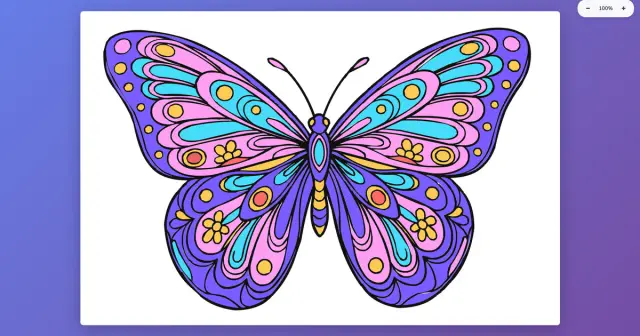 Coloring BookTap an area and it fills up to the lines, or shade with a pressure brush. Color the built-in pages or turn your own picture into a page and print it.See Coloring Book →
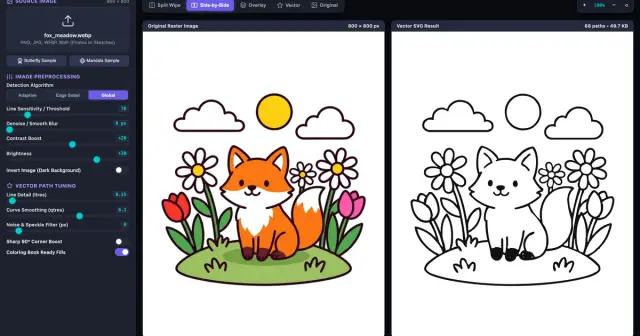 Image VectorizerTurn a photo, sketch or AI image into clean SVG line art in your browser, then print it, cut it or send it to Coloring Book as a page.See Image Vectorizer →
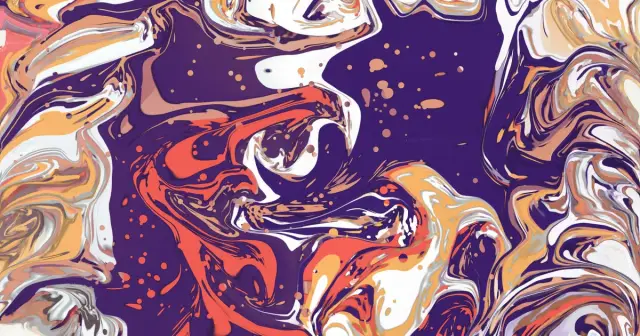 Liquid Art StudioA fluid art simulator: acrylic pours with cells, ink blooming in water and resin petri art. Tilt the canvas, swipe it open and save a 4K wallpaper.See Liquid Art Studio →
Mandala DrawTry it free
Liquid Art StudioA fluid art simulator: acrylic pours with cells, ink blooming in water and resin petri art. Tilt the canvas, swipe it open and save a 4K wallpaper.See Liquid Art Studio →
Mandala DrawTry it free