Image Vectorizer · image to SVG

Image to SVG converter: turn any picture into line art

Open a photo, a sketch or an AI image and it is traced into sharp SVG line art, right in your browser. Drag the split view to compare, tune the lines, then export SVG or a 4× PNG, or send it to Coloring Book as a page you can fill with one tap.

Free 360apps account · no credit card required. Already have an account? Sign in and open it.

  • PNG, JPG, WEBP, BMP → SVG
  • Coloring-page ready fills
  • Processed on your device
Real app, real taps. Nothing mocked up.

The problem

Most “free” vectorizers want your picture and your email

Online converters upload your image, add a watermark or stop at a low resolution until you pay. Others give you a mess of thousands of tiny paths that no cutting machine or coloring app can use.

Who it is for

  • Parents and teachers turning a favourite picture into a coloring page
  • Cricut, plotter and laser-cutter makers who need clean SVG paths
  • People turning AI images into printable line art
  • Designers who want a quick trace of a sketch or logo

Before

  • Upload to a site you do not know
  • Watermarks and low resolution
  • Messy paths you cannot use

With Image Vectorizer

  • Traced on your own device
  • SVG or PNG at 2× or 4×
  • Clean outlines, fillable shapes

How it works

Three steps, right in your browser

  1. 1

    Open a picture

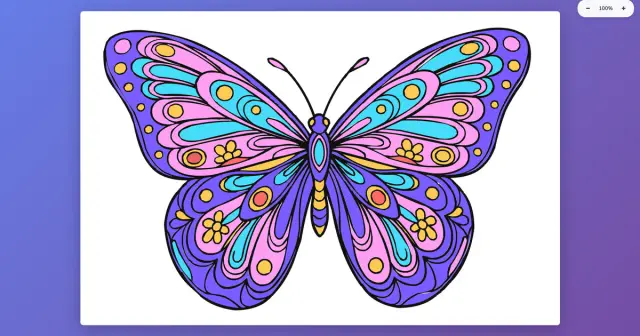
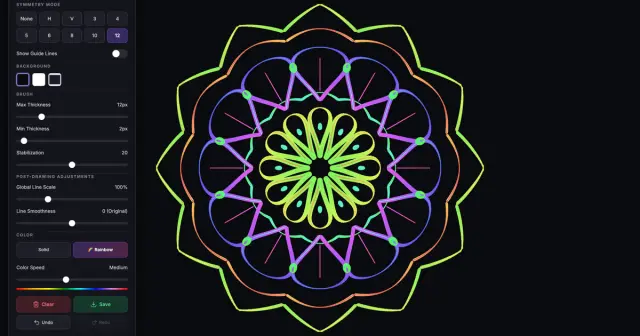
    PNG, JPG, WEBP or BMP, or try the butterfly and mandala samples.

  2. 2

    Tune the lines

    Global, Adaptive or Edge Sobel detection; sensitivity, smoothing, detail and a speckle filter. Compare with the split wipe.

  3. 3

    Export or color

    Download SVG or PNG at 2× or 4×, or click Send to Coloring Book and start filling.

What is inside

Everything Image Vectorizer does

  • Bitmap to SVG

    PNG, JPG, WEBP and BMP traced into vector line art.

  • Three detection modes

    Global, Adaptive and Edge Sobel, with sensitivity, blur, contrast and brightness.

  • Smooth, clean paths

    Line detail, curve smoothing, a speckle filter and a sharp-corner boost.

  • Coloring Book Ready Fills

    Closed shapes become fillable areas; send the page in one click.

  • Compare views

    Split wipe, side by side, overlay, vector only or original.

  • Export for print

    SVG, or PNG at 2× and 4×, with your own file name.

  • Nothing uploaded

    Tracing runs in your browser on your own device.

  • Cutting machines

    Standard SVG for Cricut, laser cutters, Inkscape or Illustrator.

Turn any picture into line art.

Image Vectorizer runs in your browser on a phone, tablet or computer. Nothing to install.

Free 360apps account · no credit card required.

FAQ

Questions people ask

How do I convert an image to SVG for free?

Open the picture in Image Vectorizer, adjust the line settings until the preview looks clean and export SVG. It runs in your browser with a 360apps account and the picture is never uploaded.

What does Image Vectorizer do?

It traces a bitmap image (a photo, sketch, scan or AI-generated picture) and turns it into SVG vector line art. Vectors stay sharp at any size, so you can print them large, cut them on a plotter or color them in.

Which images work best?

Pictures with clear shapes and strong outlines: cartoons, sticker-style AI images, logos, sketches and line drawings. Busy photos also work, but give more lines. Raise the speckle filter and lower the line detail to simplify them.

How do I turn a picture into a coloring page?

Open it in Image Vectorizer, keep Coloring Book Ready Fills on and click Send to Coloring Book. For AI images, ask the generator for black outlines only on a white background, no colors or shading, every shape closed.

What is the difference between Global, Adaptive and Edge Sobel?

Global uses one brightness threshold for the whole image and suits clean drawings. Adaptive adjusts the threshold to each area, which helps with uneven lighting in photos and scans. Edge Sobel looks for edges, so it outlines shapes rather than filling dark areas.

Can I use the SVG with a Cricut or laser cutter?

Yes. The export is a standard SVG file you can import into design software for cutting machines, Inkscape, Illustrator, Affinity Designer and similar programs. Check the paths in your cutting software before you cut.

Which file formats can I export?

SVG for scalable vector art, and PNG at 2× or 4× resolution for printing. You can set the file name before you export.

Are my images uploaded to a server?

No. Tracing runs in your browser on your own device. The picture you open is not uploaded.
Image VectorizerStart free