If you’re here, you’ve probably admired one of Piet Mondrian’s red, yellow and blue grids and wondered how hard it would be to make one yourself, for a wall, a class project or a phone screen. It’s easier than it looks once you know the few rules he worked with. Below: who Mondrian was, the rules of his style, how to make one by hand with a ruler and tape, ideas for kids, and how I generate a print-ready version in a few minutes with Mondrian Art Studio.
Draw an uneven grid of horizontal and vertical lines.
Fill a few blocks with red, yellow and blue; leave most white.
Add thick black lines and check the balance.
Who was Piet Mondrian?
Piet Mondrian (1872 to 1944) was a Dutch painter, born in Amersfoort in the Netherlands. He started with landscapes and trees, and after time in Paris, where Cubism pushed him toward abstraction, he simplified his paintings step by step. From 1917 to 1925 he worked with Theo van Doesburg in De Stijl (“The Style”), and he called his own abstract style Neo-Plasticism. He lived in Paris, then London, and spent his last years in New York.
The paintings most people picture when they hear his name come from this later period. As London’s Tate gallery describes them, they use only the three primary colors and a grid of black horizontal and vertical lines on a white ground.
The rules of the Mondrian style
| Rule | What it means | Why it matters |
|---|---|---|
| Only straight lines | Horizontal and vertical, never diagonal or curved | The calm, ordered look comes from right angles |
| Primary colors | Red, yellow and blue, plus white; sometimes grey or black blocks | Pure colors look strongest next to white and black |
| Thick black lines | Lines separate the blocks, and some stop before the edge | They give the grid its rhythm |
| Uneven blocks | Big and small, wide and narrow, never a regular checkerboard | Asymmetry keeps the eye moving |
| Lots of white | Most blocks stay white | A few colored blocks carry more weight that way |
| Flat color | No shading, texture or gradients | Each block reads as one clear shape |
How to make Mondrian art by hand
You need white paper or canvas, a pencil, a ruler, a thick black marker or black paint, and red, yellow and blue paint or markers.
- Draw the main lines in pencil. Start with two or three lines across the whole page, not in the middle, so the blocks are uneven.
- Split some blocks again. Add shorter lines inside a few blocks. Let some lines stop at another line instead of running edge to edge.
- Choose your color blocks. Pick one large block for one color and two or three small ones for the others. Leave the rest white.
- Paint or color the blocks flat, without shading. Let paint dry.
- Go over the lines in black, all the same thickness or a few slightly thicker. A ruler keeps them straight.
- Step back. If one side feels heavy, add a small color block on the opposite side.
Mondrian art for kids
Mondrian is a favorite in art classes because the rules are simple and every result looks different. Ideas that work well:
- Tape and paint (from about age 5 with help): tape on paper, paint, peel.
- Cut paper collage: glue black paper strips on white paper, then glue colored squares and rectangles in some of the boxes.
- Color-in sheet: print an empty grid and let kids choose which boxes get color.
- Talk about balance: ask why a picture with one big red block and two small blue ones feels different from one with lots of color.
Design tips for a Mondrian that looks right
- Avoid the center. Lines exactly in the middle make the picture feel static.
- One big, two small. One large color block and two or three small ones usually balances better than many medium ones.
- Don’t let colors touch in a row. Separate colored blocks with white so each one stands out.
- Use black sparingly. A small black block works as an accent; a big one dominates.
- Thicker lines for distance. A poster across the room needs heavier lines than a phone wallpaper.
Make one digitally: Mondrian Art Studio
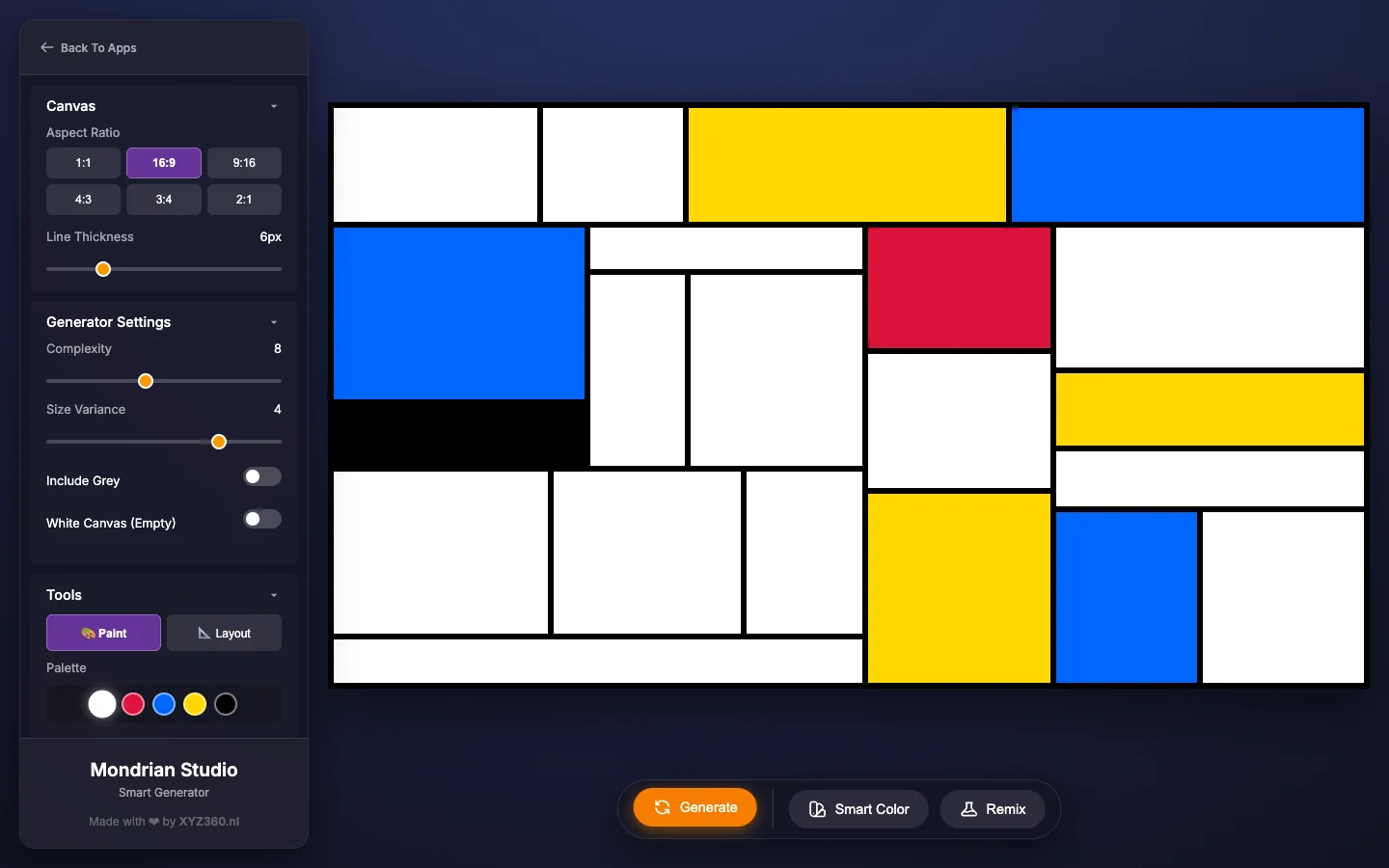
When I want a print or wallpaper with perfectly straight lines, I use Mondrian Art Studio. It runs in your web browser on computers, tablets and phones, and draws the exported files right in the browser. The compositions are generated in the style of Mondrian’s grid paintings; they aren’t copies of his works.
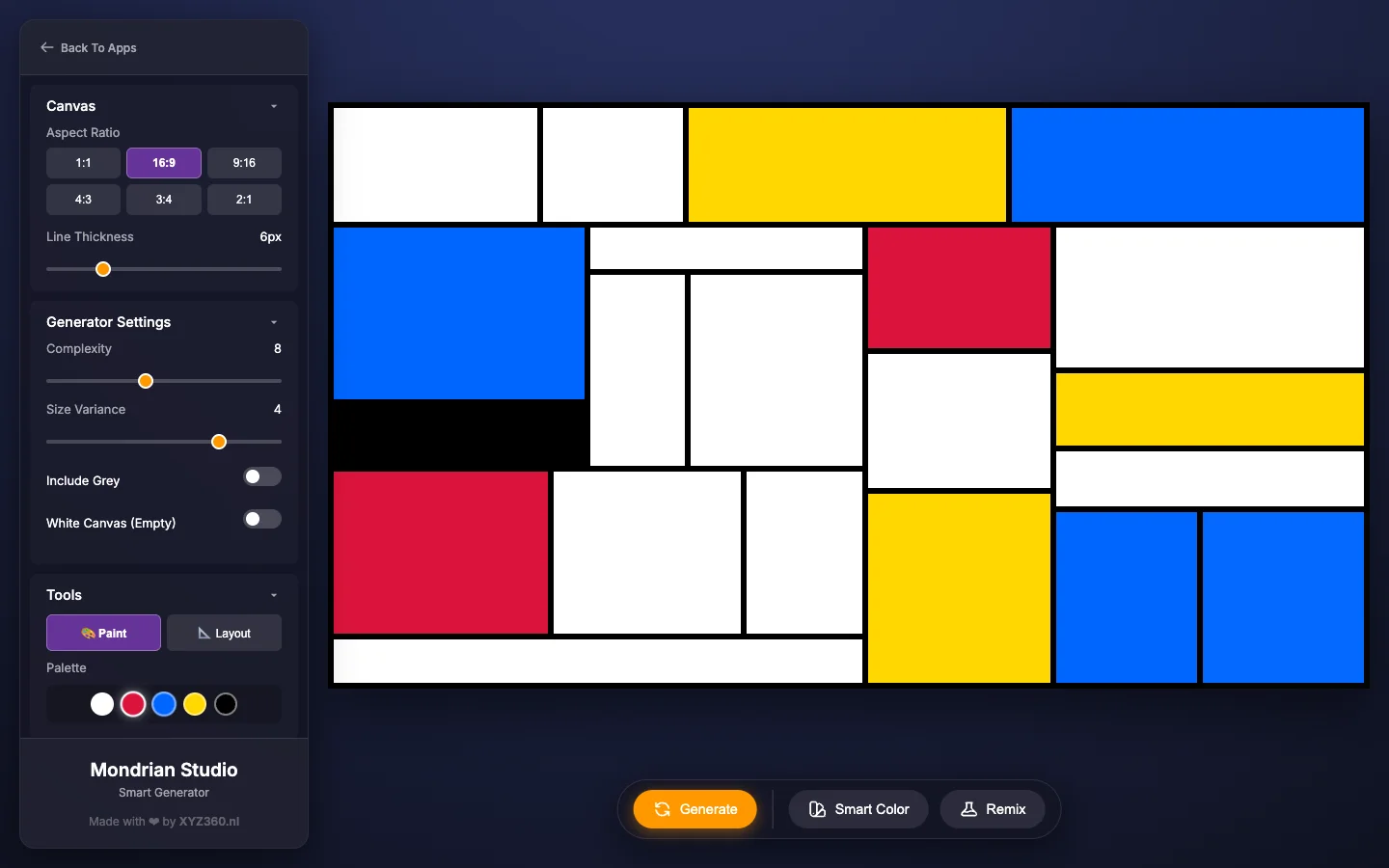
1. Choose a shape and generate a grid
Choose the aspect ratio first, because picking a ratio always generates a new composition: 16:9 or 2:1 for a desktop wallpaper or banner, 9:16 for a phone, and 1:1, 4:3 or 3:4 for framed prints. Then press Generate until a layout catches your eye. Smart Color keeps the layout and deals out new colors; Remix builds a fresh grid.
| Setting | Range | Why change it |
|---|---|---|
| Complexity | 3 to 15 (default 6) | Low values give a few big, bold blocks; high values a busier grid |
| Size Variance | 1 to 5 (default 3) | At 1 the grid looks even; at 5 you get very wide blocks next to narrow strips |
| Line Thickness | 2 to 20 px (default 6) | Heavier lines read better from across a room |
| Include Grey | On or off | Adds light grey to the palette |
| White Canvas (Empty) | On or off | All blocks white, so you color the grid yourself |
Smart Color follows the rules from above: two touching blocks never get the same color (white next to white is fine), and black only goes on small blocks, as an accent.
2. Paint and reshape it
In Paint mode, click a color in the palette (white, red, blue, yellow, black, and grey when it’s on), then click any block to fill it.
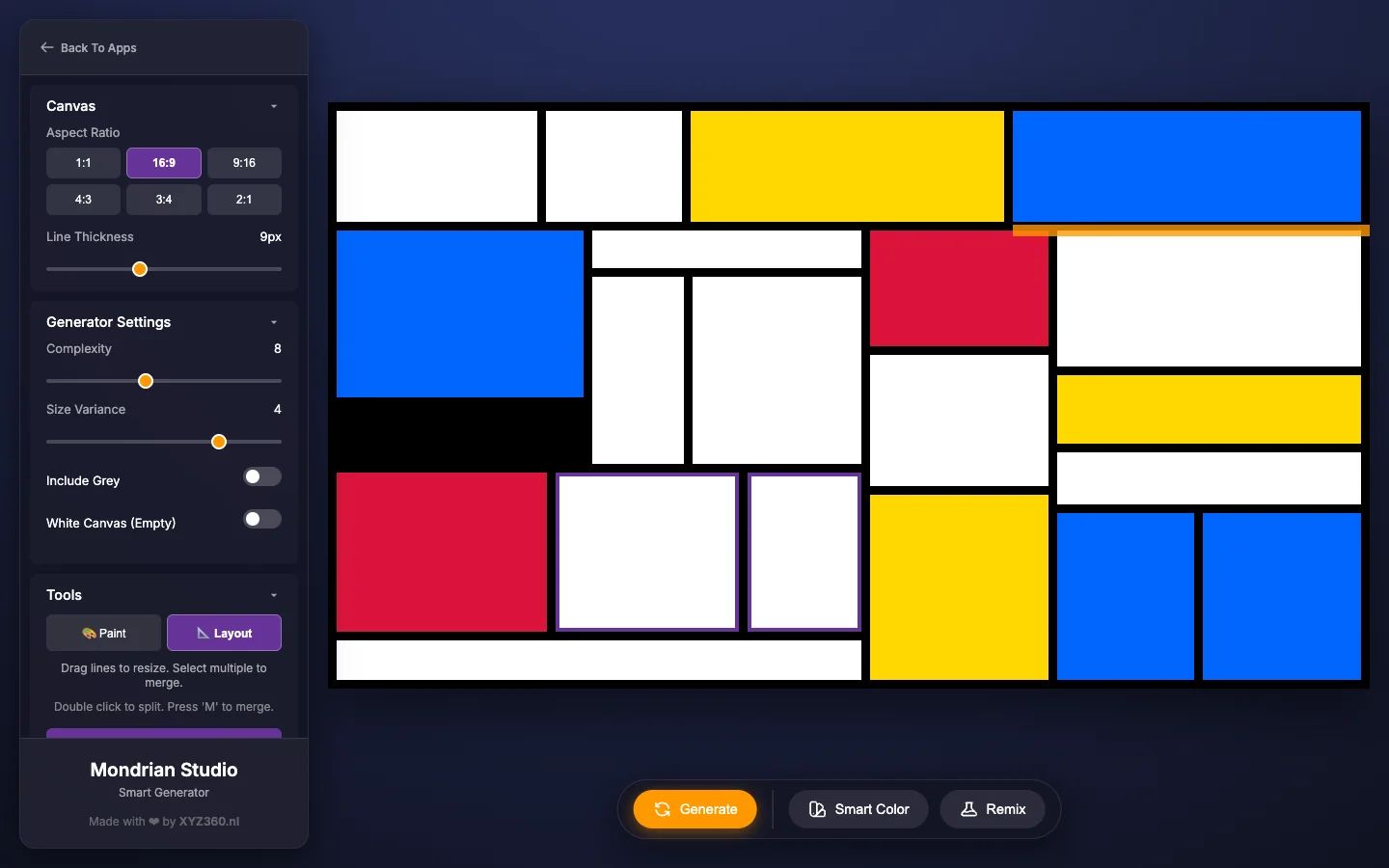
In Layout mode you change the structure: drag a black line when it lights up orange, double-click a block to split it in two, or select blocks and press Merge Selected (or M). Merge only neighbors that together form a clean rectangle; blocks far apart merge into one big box that covers everything in between.
3. Export a PNG or SVG
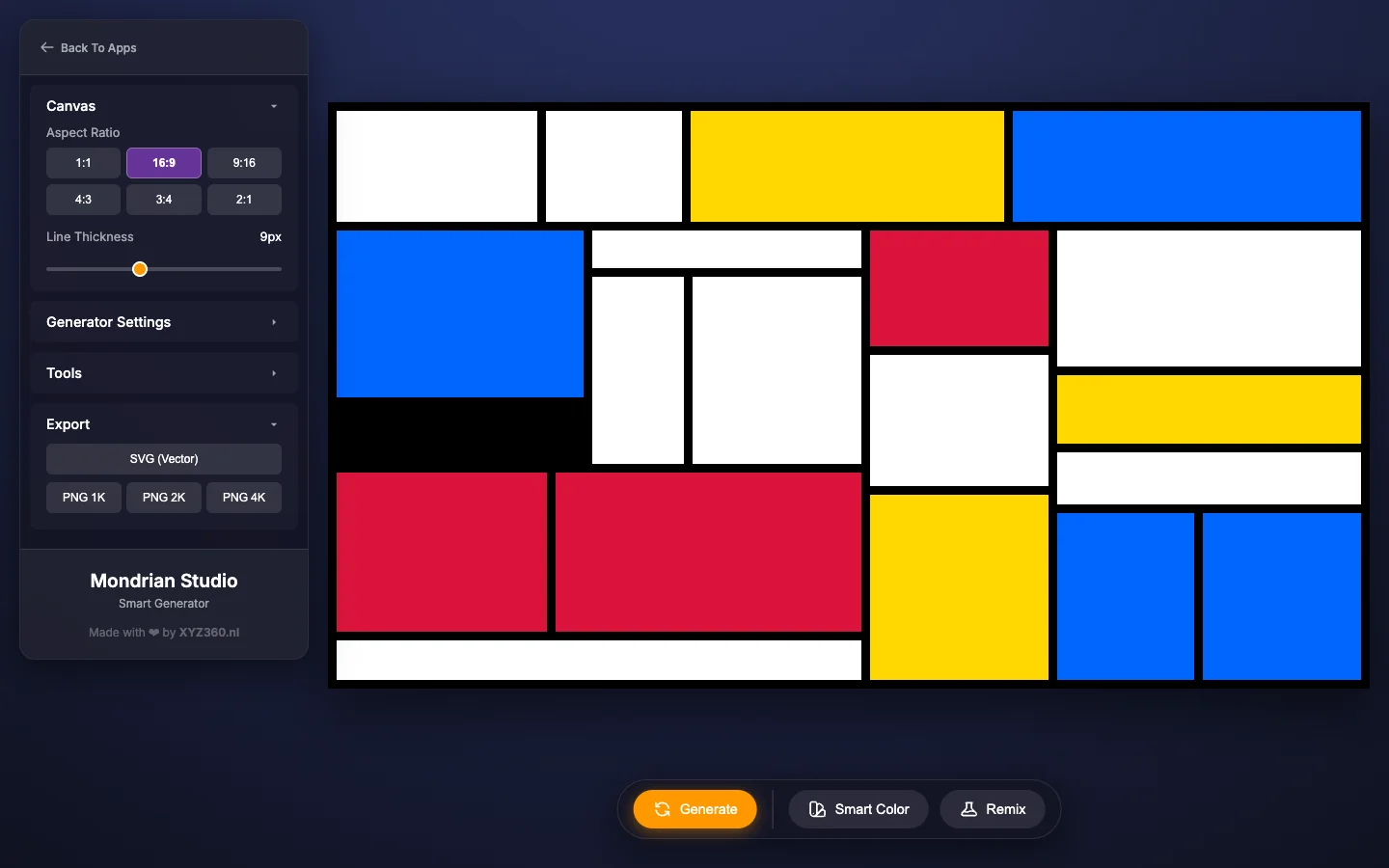
Open Export at the bottom of the sidebar: SVG (Vector) or PNG at 1K, 2K or 4K.
Which size for a wallpaper or print?
We exported every size in every ratio. These are the PNG sizes you get:
| Ratio | PNG 1K | PNG 2K | PNG 4K |
|---|---|---|---|
| 1:1 | 1024 × 1024 | 2048 × 2048 | 4096 × 4096 |
| 16:9 | 1024 × 576 | 2048 × 1152 | 4096 × 2304 |
| 2:1 | 1024 × 512 | 2048 × 1024 | 4096 × 2048 |
| 4:3 | 1024 × 768 | 2048 × 1536 | 4096 × 3072 |
| 3:4 | 1024 × 1365 | 2048 × 2731 | 3547 × 4729 |
| 9:16 | 1024 × 1820 | 2048 × 3641 | 3072 × 5461 |
| Use | Export | Why |
|---|---|---|
| Desktop or TV wallpaper | 16:9, PNG 4K | 4096 × 2304 is sharp on 4K screens |
| Phone wallpaper | 9:16, PNG 2K or 4K | Taller than most phone screens |
| Print up to about 35 cm (14 in) wide | PNG 4K | 4096 px at 300 pixels per inch is about 34.7 cm (13.7 in) |
| Large poster or canvas | SVG | Plain rectangles that scale to any size without blur |
If something looks off
| What you see | What to change |
|---|---|
| The picture feels static | Move lines away from the center and make the blocks more uneven |
| Too busy | Fewer lines (lower Complexity) and more white |
| Colors fight each other | Fewer colored blocks, separated by white |
| Your painted grid was replaced after clicking a ratio | Choosing a ratio always generates a new grid; pick the ratio first |
| A merged block covers other blocks | You merged blocks that weren’t neighbors; generate again and merge only neighbors |
| No grey in the palette | Switch on Include Grey in Generator Settings |
Ideas to try
- A matching set: keep one layout and press Smart Color three times for a triptych.
- Desk and phone pair: a 16:9 wallpaper and a 9:16 lock screen in the same colors.
- Color-it-yourself sheet: turn on White Canvas (Empty), export and print it for kids.
- Room accent: paint the largest block in the color of a cushion or rug.
Questions
What are the rules of Mondrian art?
In his best-known paintings Mondrian used only horizontal and vertical black lines, the three primary colors (red, yellow and blue) and white, sometimes with grey or black blocks. No diagonals, no curves, no shading. The blocks are uneven in size, and a few small color blocks balance large areas of white.
What colors did Mondrian use?
Red, yellow and blue, the three primary colors, on a white ground with black lines. Some works also have grey or black blocks.
How do you make Mondrian art with kids?
Stick strips of painter's tape on white paper in horizontal and vertical lines, paint a few of the boxes in red, yellow and blue, let it dry and peel off the tape. Or draw the grid with a ruler and a thick black marker and color the boxes in. It works from about age 5 with help.
What art movement was Mondrian part of?
De Stijl (Dutch for The Style), which he worked in with Theo van Doesburg from 1917 to 1925. He called his own abstract style Neo-Plasticism.
Can I make a Mondrian wallpaper for my phone?
Yes. In Mondrian Art Studio, choose the 9:16 ratio, generate a grid, and export PNG 2K (2048 × 3641) or 4K (3072 × 5461). For a desktop or TV, use 16:9 and PNG 4K (4096 × 2304).
Which sizes can Mondrian Art Studio export?
PNG 1K, 2K and 4K are 1024, 2048 and 4096 px wide, with the height set by your aspect ratio. Tall portrait files at 4K are scaled down to stay under about 16.7 megapixels. The SVG is a vector file you can scale to any size.
Why did my edits disappear when I changed the aspect ratio?
In Mondrian Art Studio, choosing a ratio generates a new composition and there is no undo. Pick the ratio first, then generate, paint and edit.
Is my artwork saved in the app?
No. The composition stays only while the page is open, so export a PNG or SVG before you close or reload the tab.