
The problem
Chord charts are flat; a piano is not
A printed chart shows one inversion of one chord in one octave. You still have to work out the other inversions, hear what it sounds like and figure out what you just played.
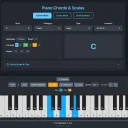 Piano Chords & Scales · interactive chart
Pick a root and a chord or a scale and the keys light up on an 8-octave piano, with the formula in colour-coded intervals and the exact notes. Press Play to hear it note by note or all at once, and plug in a MIDI keyboard to have the chords you play named, slash chords included.
5 days free · no credit card required. Already have an account? Sign in and open it.
The problem
A printed chart shows one inversion of one chord in one octave. You still have to work out the other inversions, hear what it sounds like and figure out what you just played.
Who it is for
Before
With Piano Chords & Scales
How it works
Any of the 12, then a chord type (triads, sixths, sevenths, extended) and inversion, or a scale.
Keys light up with the formula and notes; Play in sequence, as a chord or mixed.
Tap the keys (multi-touch) or connect a MIDI keyboard for the Chord Detector.
Made in Piano Chords & Scales
What is inside
8 octaves, multi-touch and drag to play.
Triads, sixths, sevenths and extended chords, with formulas.
Major, minors, modes, pentatonics, blues, whole tone and more.
Names what you hold from the lowest note, slash chords too.
Sequence, chord or mixed, with loop and five speeds.
Accent, key highlight and played-note colours; settings saved.
Piano Chords & Scales runs in your browser on a phone, tablet or computer. Nothing to install.
5 days free · no credit card required.
FAQ
Pick the root note and the chord type, and the keys light up with the formula (for example R, M3, P5, M7) and the exact notes. Switch inversions to see the other shapes.
No. Play on the virtual keyboard with touch or mouse. MIDI is only needed for the Detector mode, which names chords you play on an external keyboard.
It looks at the notes you hold and names the chord from the lowest note. If the lowest note is the root you get the plain name (A3, C4, E4, G4 reads Am7); if not, a slash chord (E3, G3, A3, C4 reads Am7/E). It needs at least three different notes and uses sharps.
Major, minor, 7th, diminished, augmented, suspended and extended chords, plus major and minor scales, the modes, pentatonics, blues, whole tone, diminished and chromatic. Each shows its formula and notes.
The built-in sound is a simple synthesised tone, not a sampled grand piano. The Sound button turns all built-in audio off so you can play through your own instrument.
Yes. Scales show the step pattern, and step colours can be shown on the keys.
Yes: the UI accent, the key highlight and the colour for played notes. Settings save automatically in your browser.
Yes. The keyboard supports multi-touch so you can play chords on a phone or tablet.
More from 360apps
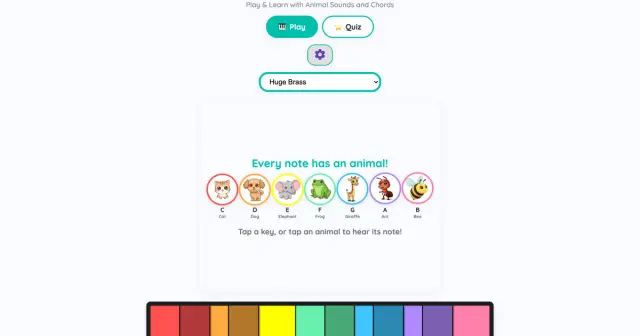 Teach Music for KidsA rainbow piano where every note has a colour and an animal, plus a five-level quiz with stars. Play by touch, keyboard or MIDI.See Teach Music for Kids →
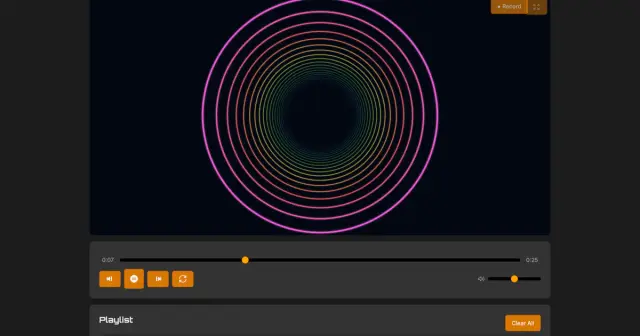 Music VisualizerLoad a song and watch 10 audio-reactive styles move to the beat, then record the visuals with the music into a video file.See Music Visualizer →
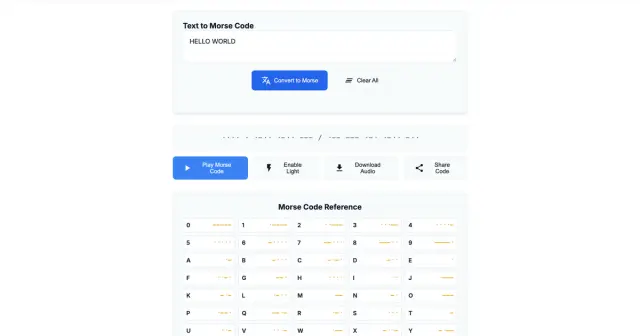 Morse Code OnlineTranslate text to Morse and back, hear it beep, watch it flash as light, and learn by ear with 40 Koch-method lessons.See Morse Code Online →
Piano Chords & ScalesTry it free
Morse Code OnlineTranslate text to Morse and back, hear it beep, watch it flash as light, and learn by ear with 40 Koch-method lessons.See Morse Code Online →
Piano Chords & ScalesTry it free