
The problem
A song needs something to look at
YouTube, Reels and live sets all want video, but a still cover image loses viewers and editing software takes hours. Musicians and DJs need visuals that follow the music without a motion-graphics course.
 Music Visualizer · audio-reactive video
Load a track (or play the built-in demo beat) and the visuals move with its frequencies in real time: kaleidoscope sparks, a 3D tunnel, a cosmic web, pulsing orbs and more. Set your colours and background, go full screen, and press Record to save the visuals with the music as a video.
5 days free · no credit card required. Already have an account? Sign in and open it.
The problem
YouTube, Reels and live sets all want video, but a still cover image loses viewers and editing software takes hours. Musicians and DJs need visuals that follow the music without a motion-graphics course.
Who it is for
Before
With Music Visualizer
How it works
MP3, WAV, OGG or AAC, several tracks at once, or the demo beat.
Ten styles with their own settings; a colour, gradient or your own background image.
Record saves visuals + audio (WebM in Chrome and Firefox, MP4 in Safari).
Made in Music Visualizer
What is inside
Visuals follow the beat and frequencies in real time.
Sparks, echoes, glyphs, burst, cosmic web, orbs, bars, 80s circles, ripples, tunnel.
Colour, gradient or your own image, with blur and blend.
Visuals plus audio in one file.
Several tracks, loop, seek and volume.
For a live set, a stream or a second screen.
Music Visualizer runs in your browser on a phone, tablet or computer. Nothing to install.
5 days free · no credit card required.
FAQ
Load your track, choose a style and colours, press Record and play the song. When you stop (or the last track ends) the app saves a video with the visuals and your music.
Yes. YouTube accepts the WebM files Chrome and Firefox produce. TikTok and Instagram usually prefer MP4, so a WebM may need converting first, while Safari records MP4 directly. Keep the tab visible and do not resize the window while recording.
It depends on your browser: Chrome and Firefox record WebM, Safari records MP4. The app does not convert between formats.
Any format your browser can play, such as MP3, WAV, AAC or OGG.
Yes. Play the built-in demo beat, a 25-second beat made in the browser.
Yes, from your device, with fit, blur, opacity and blend controls. Use images from your device, because images from other web addresses can stop the recording from working.
Yes. Go full screen and play your playlist, or capture the window in OBS for a stream.
No. Your tracks play and are analysed in your browser.
More from 360apps
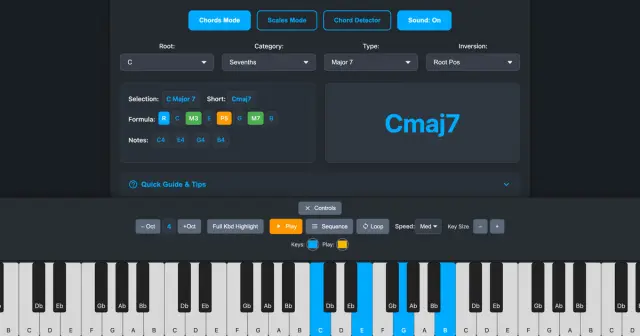 Piano Chords & ScalesAny chord, inversion, scale or mode lit up on an 8-octave piano with its formula and notes, plus a MIDI chord detector.See Piano Chords & Scales →
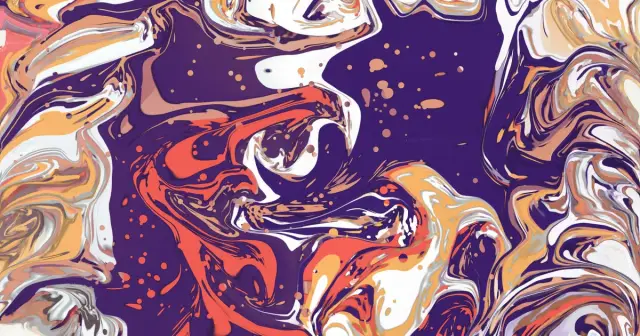 Liquid Art StudioA fluid art simulator: acrylic pours with cells, ink blooming in water and resin petri art. Tilt the canvas, swipe it open and save a 4K wallpaper.See Liquid Art Studio →
 HDRI CreatorA physical sky studio: real sun for any place and time, volumetric clouds you can paint, night skies and aurora. Export .HDR up to 16K.See HDRI Creator →
Music VisualizerTry it free
HDRI CreatorA physical sky studio: real sun for any place and time, volumetric clouds you can paint, night skies and aurora. Export .HDR up to 16K.See HDRI Creator →
Music VisualizerTry it free