
The problem
Paper charts last about a week
The magnets fall off, the stickers run out, and every evening turns into “did you feed the cat?”. Kids lose interest when nothing happens after a chore, and parents end up keeping score in their heads.
 Chore App · chore chart for kids
Each child gets their own chore cards. Tap one when it is done: it flips to “Completed!”, a sticker lands on the weekly chart and coins go in the jar. Kids spend coins on rewards you pick, after you approve. Print the week for the fridge.
5 days free · no credit card required. Already have an account? Sign in and open it.
The problem
The magnets fall off, the stickers run out, and every evening turns into “did you feed the cat?”. Kids lose interest when nothing happens after a chore, and parents end up keeping score in their heads.
Who it is for
Before
With Chore App
How it works
A profile per child with an avatar. Each chore gets an icon, a colour, a coin value, who it is for and how often it repeats.
They open their own page and tap a card when the chore is done. A sticker goes on their weekly chart and coins in their jar.
Kids request rewards with coins and you approve them. Print the weekly chart or browse past weeks.
Made in Chore App
What is inside
Name and avatar, optional password, plus a parent profile.
Daily, weekly, monthly or one-time, for one child or all of them.
Monday to Sunday per child, with stars and coins per week and past weeks.
You set the coin values and the rewards. Kids request, parents approve.
The print layout shows only the chart.
Optional pretend tax on rewards and safe or risky coin investments.
Data is kept in the browser, with a JSON backup to move it.
A light and a dark theme, on phone, tablet or computer.
Chore App runs in your browser on a phone, tablet or computer. Nothing to install.
5 days free · no credit card required.
FAQ
One that kids fill in themselves and that gives them something back. In Chore App each child taps their own chore cards, gets a sticker on a weekly chart and earns coins they can swap for rewards you choose.
You give each chore a coin value. Kids collect coins and request rewards you define, such as a movie night pick or extra play time. A parent approves each request.
Yes. Open the Weekly Chore Chart and press Print. The print layout shows only the chart, one section per child, so it fits on the fridge.
Young children can make their bed, set the table or feed a pet; older kids can water the plants, tidy their room or help with recycling. You write the chores yourself, so the list grows with your child.
Yes. Each child has a profile and a chart, and a siblings overview shows everyone’s coins. A chore can be for one child or for all of them.
No. Data is stored in the browser on one device. To move it to another device, export a JSON backup and import it there.
Kids tick their own chores, which is the point, and you see every completed chore and every reward request on the parent dashboard. Profiles can have a password, including the parent profile.
Gently. Coins are pretend, and there is an optional saving game with a weekly tax on rewards and safe or risky investments, so kids see their coins grow or shrink.
Yes. It runs in the browser on tablets, phones and computers, with large tap targets for kids.
More from 360apps
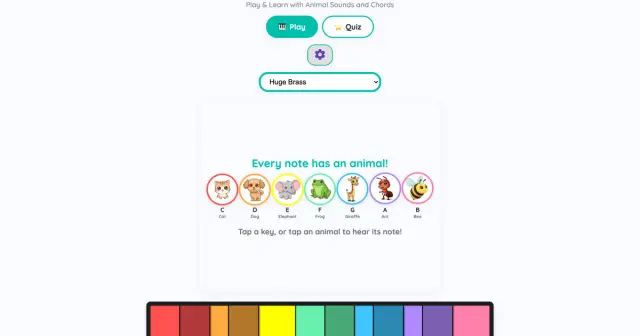 Teach Music for KidsA rainbow piano where every note has a colour and an animal, plus a five-level quiz with stars. Play by touch, keyboard or MIDI.See Teach Music for Kids →
 Coloring BookTap an area and it fills up to the lines, or shade with a pressure brush. Color the built-in pages or turn your own picture into a page and print it.See Coloring Book →
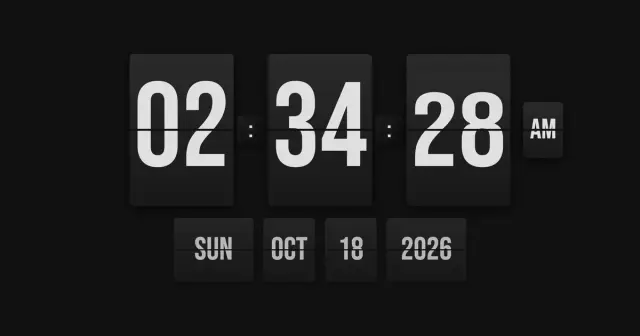 Airport Flip ClockAn airport split-flap clock for any screen, with a countdown timer and a world clock whose cities flip in letter by letter. Full screen.See Airport Flip Clock →
Chore AppTry it free
Airport Flip ClockAn airport split-flap clock for any screen, with a countdown timer and a world clock whose cities flip in letter by letter. Full screen.See Airport Flip Clock →
Chore AppTry it free