

If you’re here, you’ve probably searched for an ocean HDRI and found plenty of beaches and harbours, but not the open sea you pictured: the sun on the wrong side, the water too rough or too flat, the camera standing on a pier. In this guide I’ll help you decide when a free download is enough and when it’s quicker to make your own sea and sky, and then show how I build one in HDRI Creator and use it in Blender, Unreal or Unity. It takes about ten minutes.
Decide: a free library HDRI, or your own sea with the sun and waves you need.
To make one, set the place and time, choose OCEAN as the ground and shape the sea.
Export a 32-bit .HDR and load it as the environment in your 3D software.
HDRI Creator runs in your browser on 360apps.net, and you can try it for free.
What makes a good ocean HDRI
An ocean HDRI is a 360° panorama with sky above the horizon and open water below it. The water matters more than it seems: it decides how much light comes up from below, how bright the horizon is and where the sun’s glitter falls. Check these before you pick one:
| What to check | Why it matters |
|---|---|
| 32-bit, unclipped sun | The sun has to be far brighter than the sky in the file, or your render gets flat, soft shadows |
| An open horizon | Most free “sea” HDRIs are shot from a beach or a harbour, with land, boats or buildings on one side |
| Camera height | A camera at the waterline sees wave faces; one on a cliff sees a smooth sheet out to a far horizon. Match your shot |
| Sea state | Calm water mirrors the sky; wind and swell break the reflection into a glitter path and darken the sea |
| Resolution | 2K to 4K is enough for lighting; 8K or more if the sea is visible behind your model |
Download one or make your own?
| Option | Good for | Limits |
|---|---|---|
| Free HDRI libraries (for example Poly Haven, CC0) | Real photographed coasts and skies; quick look development | Few have an open sea; the sun, waves and camera height are fixed by the day of the shoot |
| An ocean in your 3D software (for example Blender’s Ocean modifier) | Water that boats and buoys can float in, with real displacement | You still need a sky, and the far sea to the horizon is heavy to render |
| Make your own sea and sky (for example HDRI Creator) | The sun where you want it, any sea from flat calm to rough, any height from 0.5 m to 200 m, sunset or night, up to 16K | A generated scene, not a photo; nothing can touch the water |
| Shoot your own | Matching a real place | A 360° camera or bracketed panoramas on a boat, stitching, and the right weather |
The two often work together: an HDRI for the sky, the far sea and the light, and a patch of real water geometry around the object in the foreground.
How to make an ocean HDRI
I use HDRI Creator, a sky studio that runs in the browser. It computes the real sun for any place, date and time, lights the clouds from that sun and, since its latest update, can put an open sea under the horizon. The sea is built from a real wave spectrum and reflects the sky you made.
1. Set the place and time
In the Scene tab, pick a location and a date, then drag the time along the timeline at the bottom, or click Gold, Set or Dusk. The sun moves to where it would really be, and its glitter on the water moves with it.
2. Choose OCEAN as the ground
Under Ground, click OCEAN. The Sea panel opens:
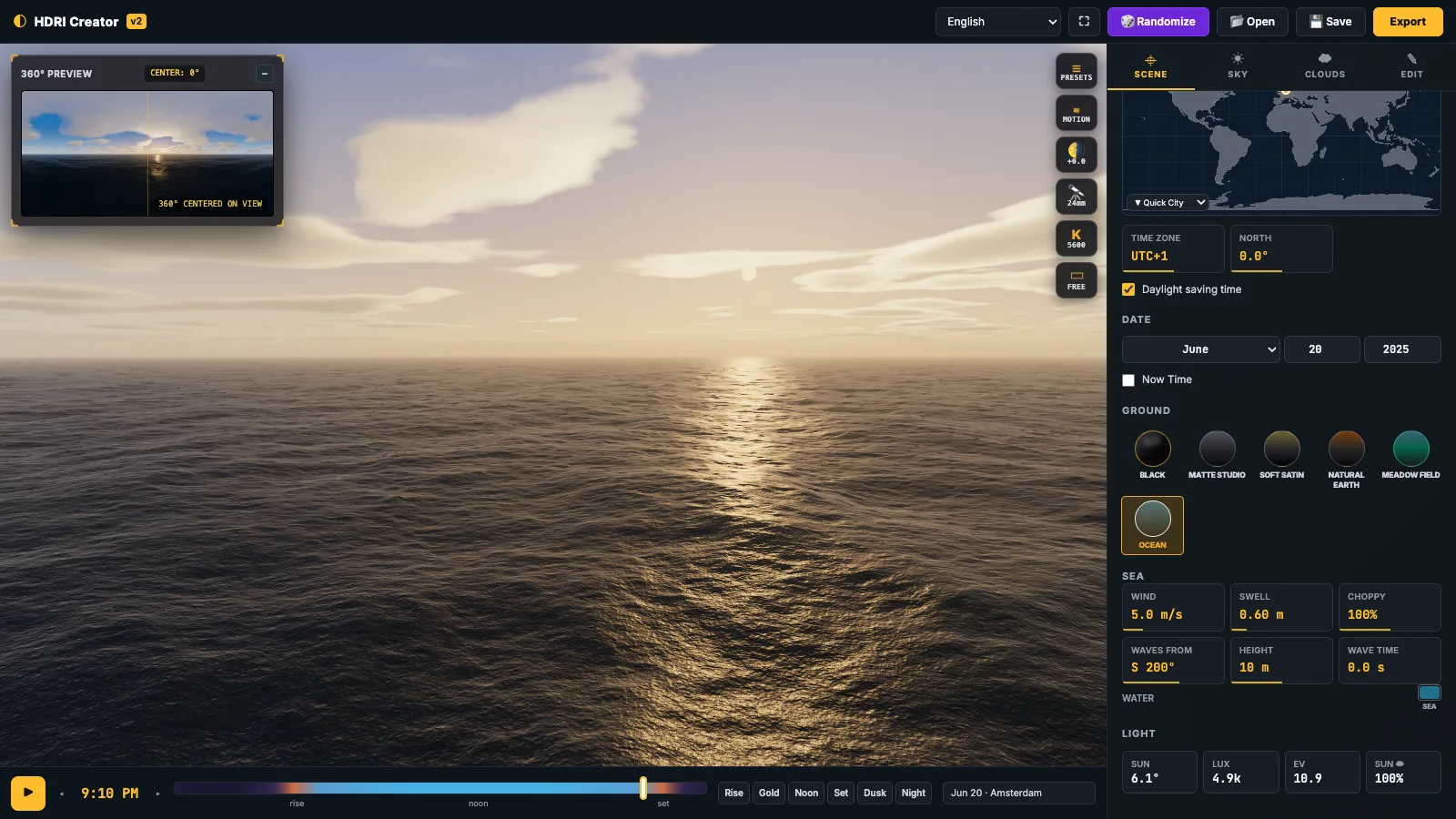
| Setting | What it does | Try |
|---|---|---|
| Wind | Wind over the sea (0 to 25 m/s): wave size, ripples and whitecaps | 2 m/s for a glassy calm, 5 for a normal day, 12 or more for whitecaps |
| Swell | Long, smooth waves from far storms (height in m, up to 4) | 0.3 for gentle rolls, 1.5 or more for an ocean swell |
| Choppy | Sharper crests and broader troughs | 100% is natural; lower for round waves, higher for a confused sea |
| Waves from | The compass direction the wind and waves come from | Toward or away from the sun changes the glitter path |
| Height | Camera height above the water, 0.5 to 200 m | 1 m swimmer or small boat, 10 m ship’s deck, 50 m cliff or drone |
| Wave time | The moment of the waves: another pattern of the same sea | Drag it until the waves in front of the camera look right |
| Water | The colour of the deep water | Darker blue for the open ocean, more green for coastal water |
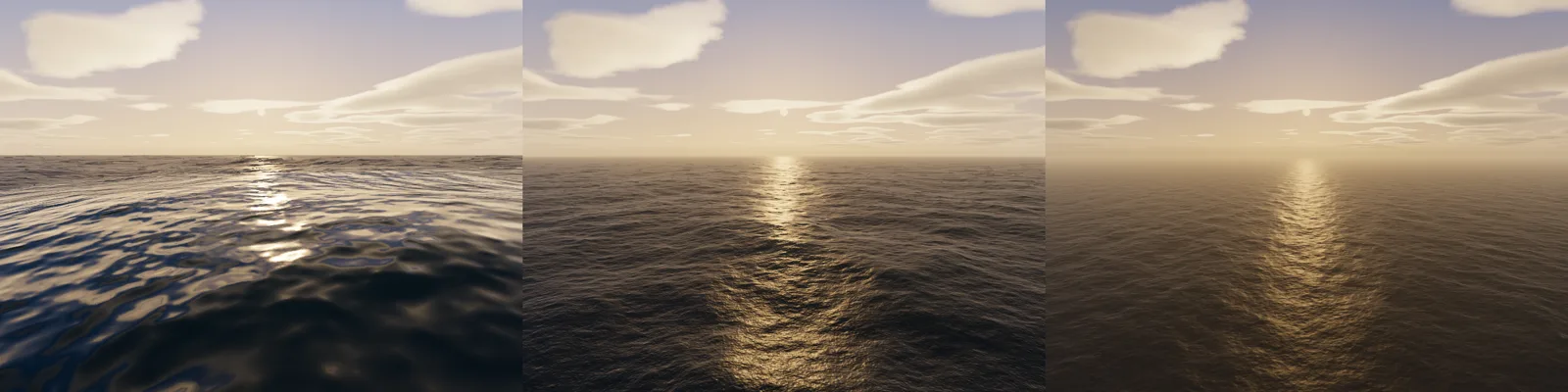
3. Shape the sky
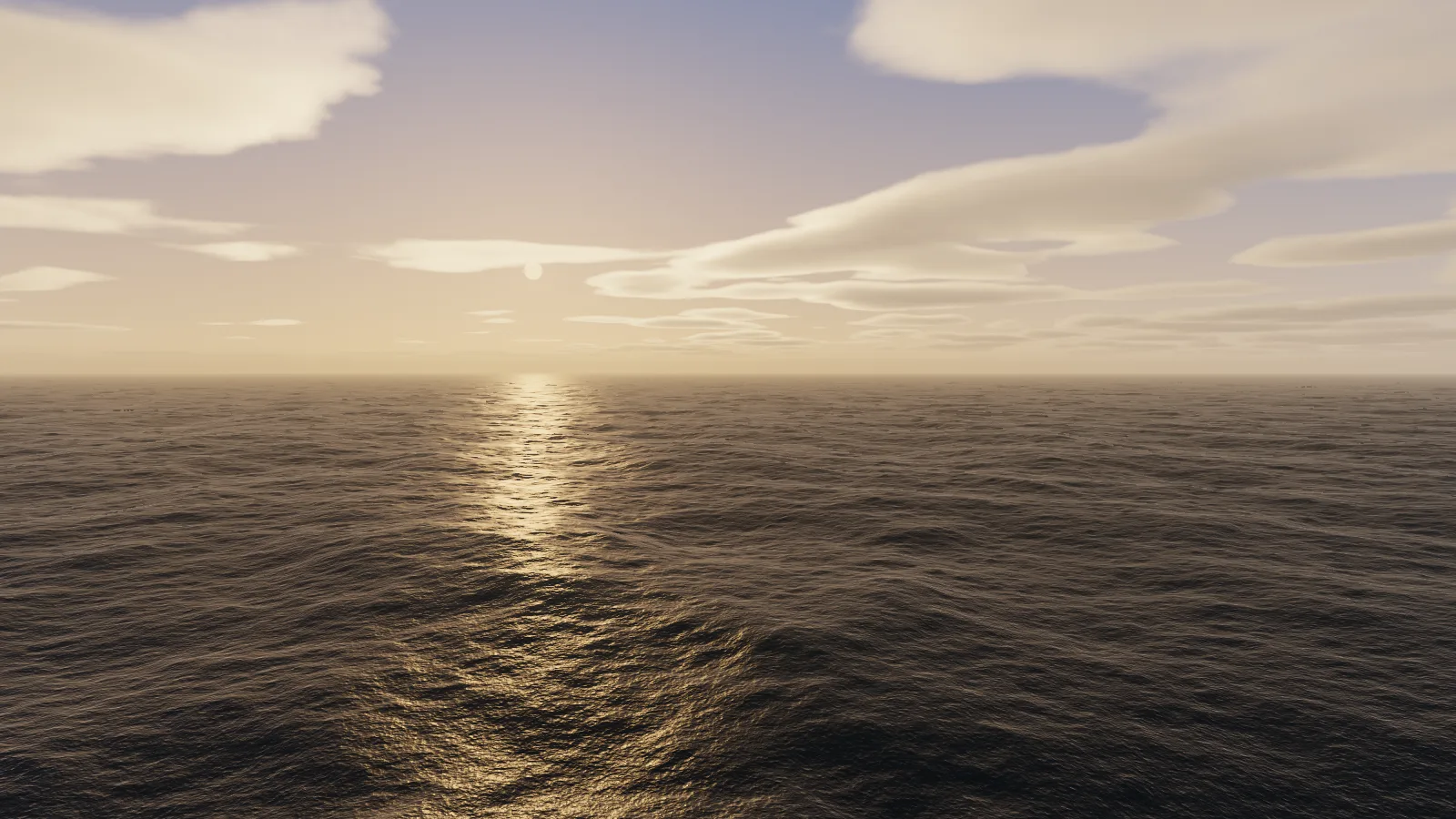
The water reflects whatever is above it, so the sky is half of the sea’s look. Choose the clouds in the Clouds tab, the haze in the Sky tab, and look around in the view: the reflections, the sun’s path on the waves and the colour of the far sea all follow.
4. Export
Click Export, choose the HDRI image tab, pick a size up to 16K and save a 32-bit .HDR, or a PNG for a preview. The sea is in the export, the same as on screen.
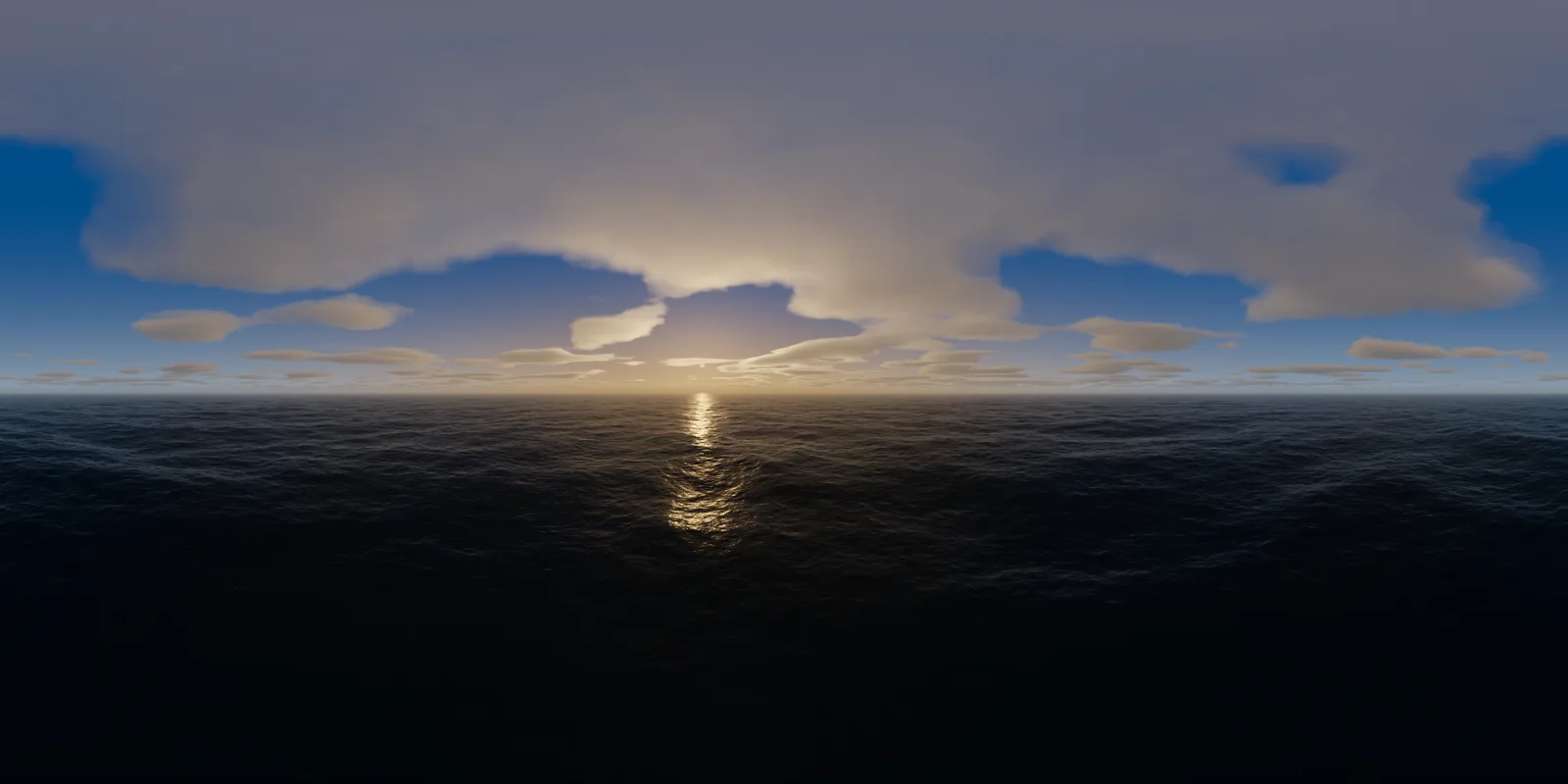
Sunset and night ocean HDRIs
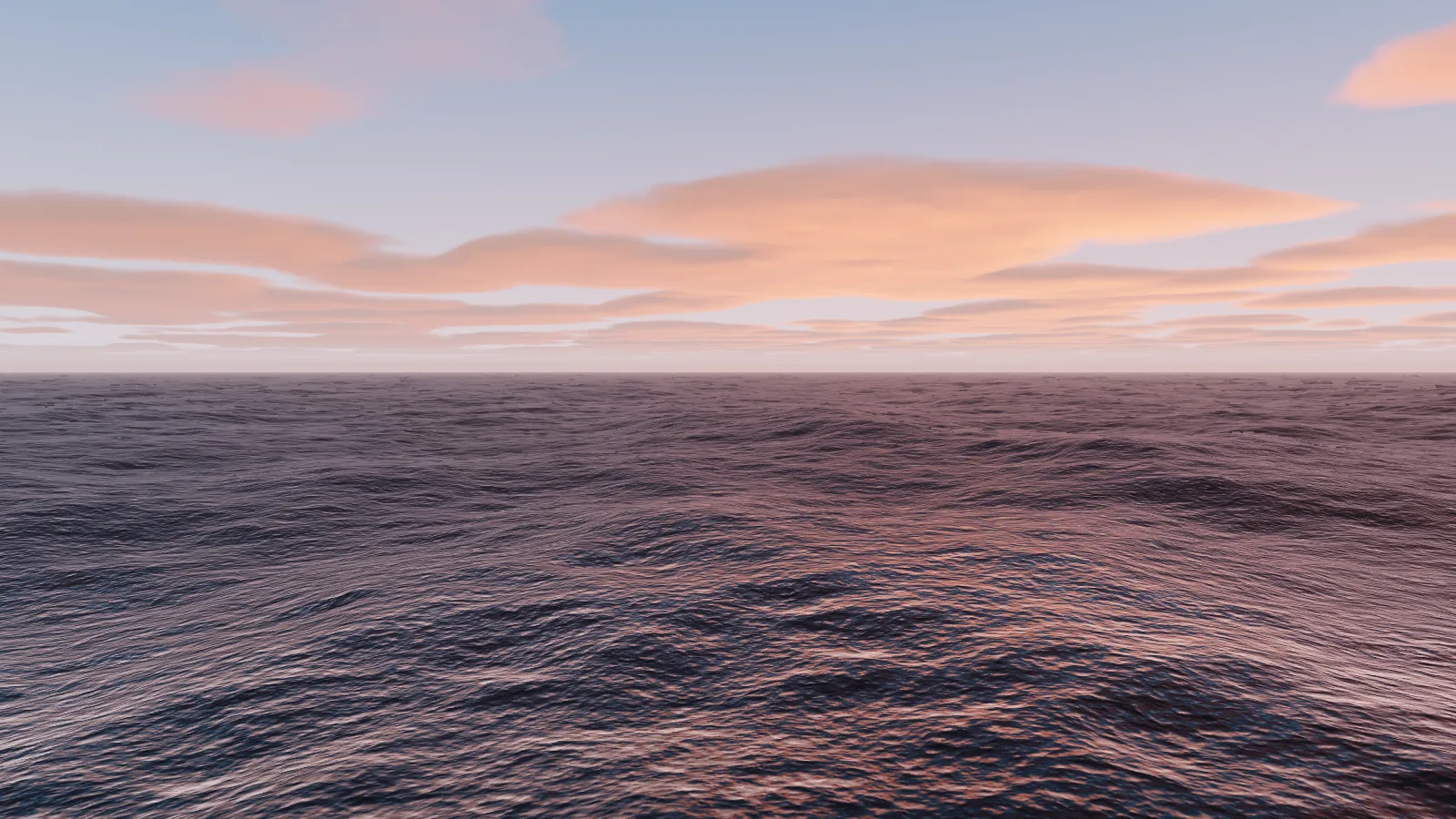
A sunset sea is mostly reflection: low sun, a long glitter path and a sky full of colour. Move the time a few minutes before sunset and lower the wind so the path stays long and narrow. After sunset the sea goes dark and picks up the colour of the clouds.
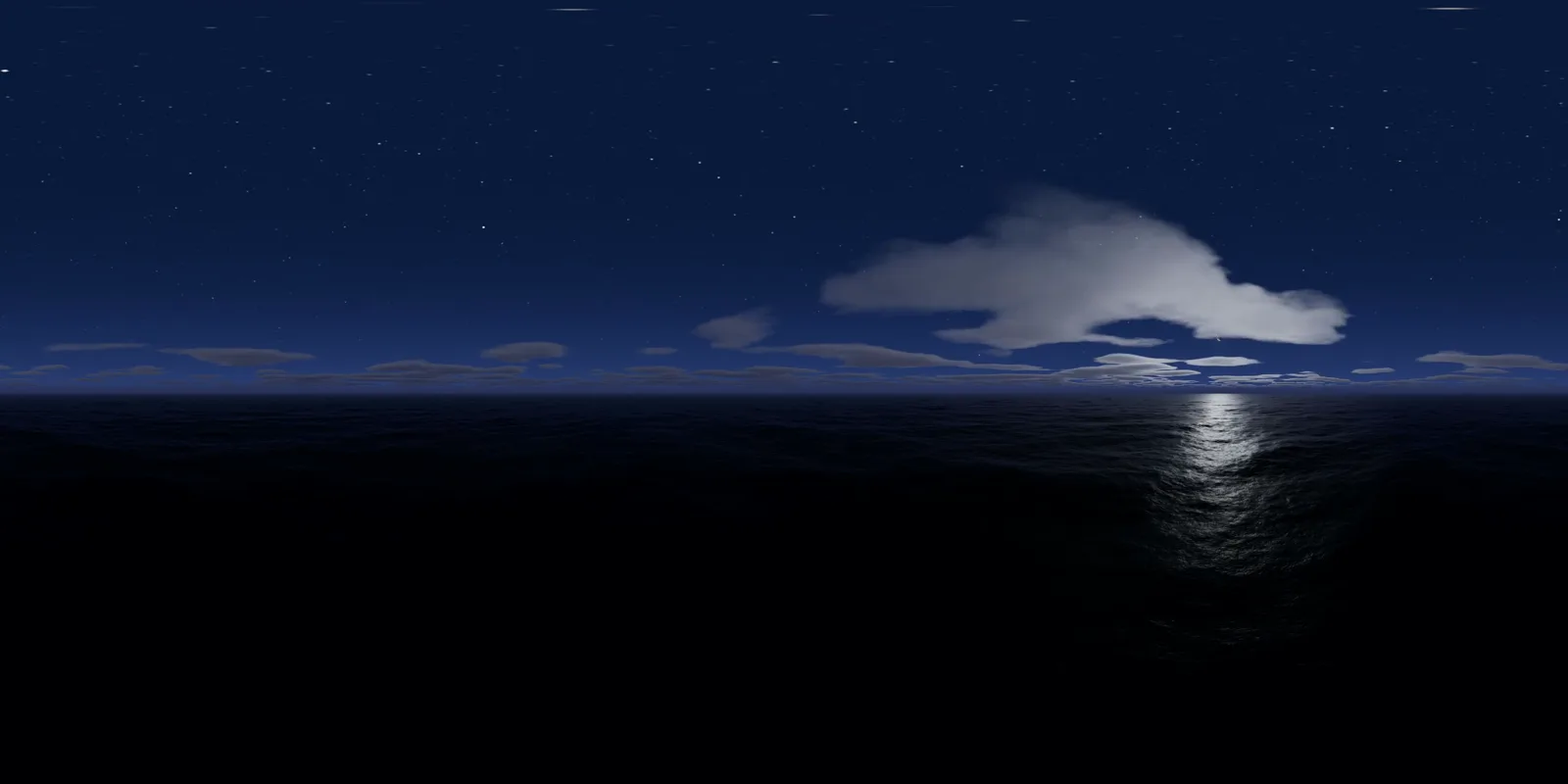
At night, the moon draws its own path on the water. Turn on Real stars and Milky Way in the Sky tab and choose a date near full moon. With Real moon on, it rises where it really would for that place and date.
Use it in Blender, Unreal and Unity
| Software | How |
|---|---|
| Blender | World properties → Color → Environment Texture → open the .hdr. Add a Mapping node to turn it so the glitter lines up with the camera, and set Strength |
| Unreal Engine | Enable the HDRI Backdrop plugin and drop the .hdr into an HDRI Backdrop actor, or use it as the cubemap of a Sky Light |
| Unity | Import the .hdr and use it in a Skybox/Panoramic material, or set Texture Shape to Cube for Skybox/Cubemap, then assign it in Lighting → Environment |
| three.js | Load it with RGBELoader, set its mapping to EquirectangularReflectionMapping and use it as scene.environment and scene.background |
Troubleshooting
| What you see | What to change |
|---|---|
| The sea looks like a flat mirror | Raise Wind to 5 m/s or more, or add some Swell |
| The near waves look huge or hide the horizon | Raise Height, or lower Swell and Wind: from 1 m a 1.5 m sea fills the view |
| The horizon line is too soft | Lower Haze in the Sky tab, or lower the camera |
| No glitter path on the water | The sun is behind clouds or behind you: turn the view toward the sun and clear the clouds around it |
| The water looks too green or too dark | Change the Water colour; the sky colour also tints the sea |
| A boat in my render floats above the sea | That is the HDRI’s distant sea: add water geometry under the boat |
Ideas to try
- A yacht or a cruise ship rendered at golden hour, with a patch of Ocean-modifier water around the hull
- Product shots on a beach set, with a calm sea in the background
- Drone-height seascapes from 100 to 200 m for flight or racing games
- Night scenes with the moon’s path on the water
- 360° video of a whole sunset over the sea for VR
What to keep in mind
- HDRI Creator makes a generated scene, not a photograph. For a real place, a photographed HDRI is closer.
- There is no land, beach or boat in its sea: the open ocean only.
- The sea needs WebGL2, which current browsers on computers have. On slower computers, use the fast 2.5D clouds while you work.
Questions
Where can I download a free ocean HDRI?
Free libraries such as Poly Haven publish their HDRIs under CC0, so you can use them in any project, including commercial work. Search them for sea, beach, coast or harbour. Most are shot from the shore, so check that the horizon is open and that the sun is not clipped.
Can an HDRI give me water my objects can float in?
No. The sea in an HDRI is part of a picture at an infinite distance: it lights and reflects, but a boat or a buoy cannot sit in it or cast a shadow on it. For water that touches your objects, add real geometry, for example Blender's Ocean modifier, and use the HDRI for the sky and the light.
How do I use an ocean HDRI in Blender?
In the World properties, set Color to Environment Texture and open the .hdr file. Add a Mapping node to turn it so the sun's glitter on the water lines up with your camera, and change Strength if the scene is too bright or too dark.
How do I make an ocean skybox for Unity or Unreal?
Export an equirectangular .HDR. In Unity, import it and use it in a Skybox/Panoramic material, or set its Texture Shape to Cube and use Skybox/Cubemap. In Unreal Engine, drag it into an HDRI Backdrop or a Sky Light set to a specified cubemap.
Can I make a sunset or a night ocean HDRI?
Yes. In HDRI Creator, move the time to golden hour, sunset or night. The sea reflects that sky, with the sun's glitter path at sunset and the moon's at night, and the real night sky adds the stars of the Bright Star Catalog and NASA's Milky Way.
How high should the camera be above the water?
Match the shot. From about 1 m you look across the waves like a swimmer or a small boat; from about 10 m you see the swell like from a ship's deck; from about 50 m the sea becomes a texture down to a far horizon, like from a cliff or a drone. HDRI Creator goes from 0.5 m to 200 m.
What resolution do I need?
For lighting only, 2K to 4K is enough. If the sea and sky are seen behind your model, export 8K or more so the horizon stays sharp. HDRI Creator exports up to 16K, depending on your graphics card.
Does HDRI Creator export EXR?
No. It exports 32-bit Radiance .HDR and a tone-mapped PNG, plus 360° MP4 video. Blender, Unreal Engine, Unity, Cinema 4D and three.js all read .HDR.